



Table of Contents
The secret to finding the right candidates isn’t searching harder, it’s searching smarter. Here’s how to get the most out of Instahyre’s Advanced Search.
One of the most common frustrations recruiters face is wading through irrelevant profiles after a search. The good news? It’s usually not a database problem, it’s a keyword problem.
Understanding how search algorithms work, and how to work with them, makes all the difference.
Tip 1: Use Skills, Not Job Titles
Here’s what happens when you search for “Java Developer” on any candidate database, the system looks for resumes containing the words “Java” and “Developer” separately, and returns every profile that contains either word. That means you’re likely seeing profiles from developers who have never written a line of Java in their life.
The same issue applies when searching for “Backend Developer.” Most candidates don’t use the word “backend” in their resumes. What they do list are the specific skills and tools they’ve worked with.
Best practice: Search for the technologies and tools the role requires, not the job title.
| Instead of searching for… | Try searching for… |
| Backend Developer | Java, Python, Ruby, Node.js |
| Digital Marketer | AdWords, Google Analytics, SEO, SEM, PPC |
| DevOps Engineer | Puppet, Ansible, Kubernetes, Terraform |
Pro tip: Spend 5 minutes with the hiring manager before you begin. Ask what the person will actually be working on and what the 1-2 most critical skills are. This single step will dramatically improve your search results.
Tip 2: Choose Where to Search for Skills
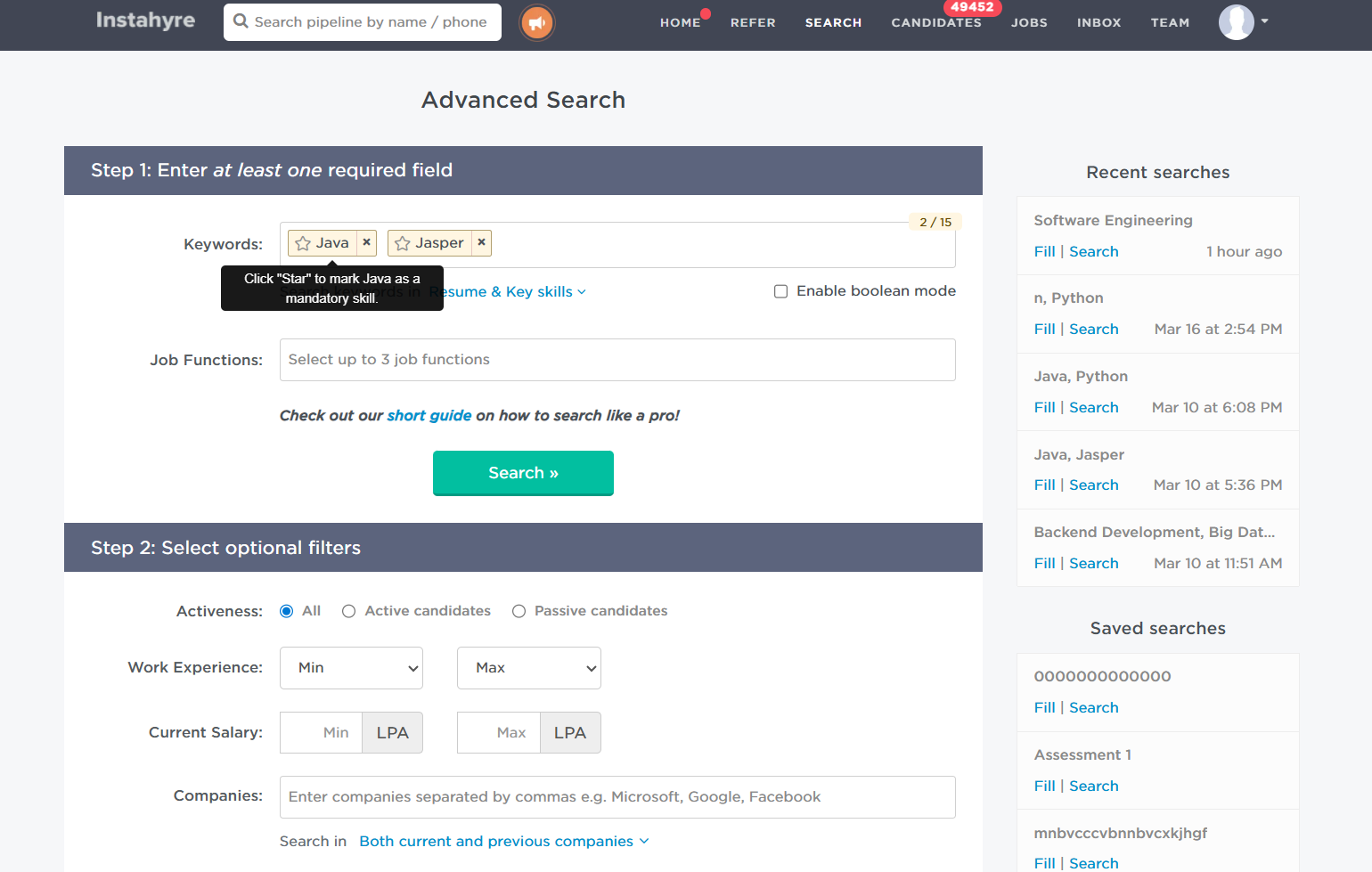
Once you’ve added your keywords, Instahyre lets you control where those skills are searched giving you the ability to balance between a wider pool and higher precision.
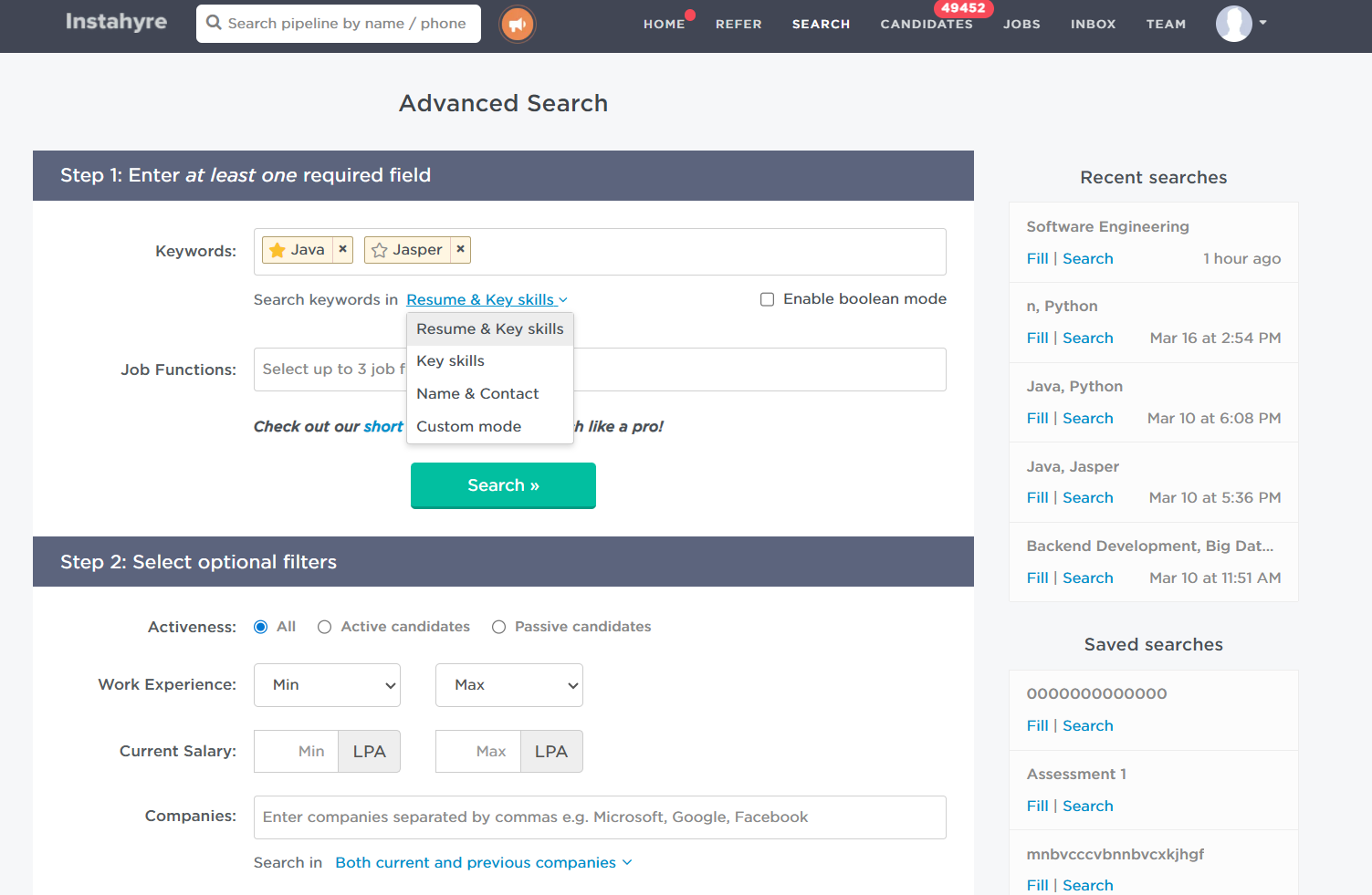
Click the “Search keywords in” dropdown next to the Keywords field to choose from three options:
- Resume & Key Skills (default): Searches for skills across both the candidate’s resume and their explicitly listed key skills. This returns the largest candidate pool and is the best starting point for most searches
- Only Key Skills: Searches only in skills that candidates have explicitly added to their profile. Use this when you want higher precision and want to avoid candidates who merely mention a skill in passing.
- Custom Mode: Lets you choose, skill by skill, whether to search in Resume & Key Skills or Only Key Skills. Ideal when you have a mix of must-have and broad skills in the same search
Tip 3: Use Job Functions for Broad Role Searches
Keywords work best when you know exactly what skills you need. But when you want to define the role category first, Job Functions are your most powerful and most underused filter.
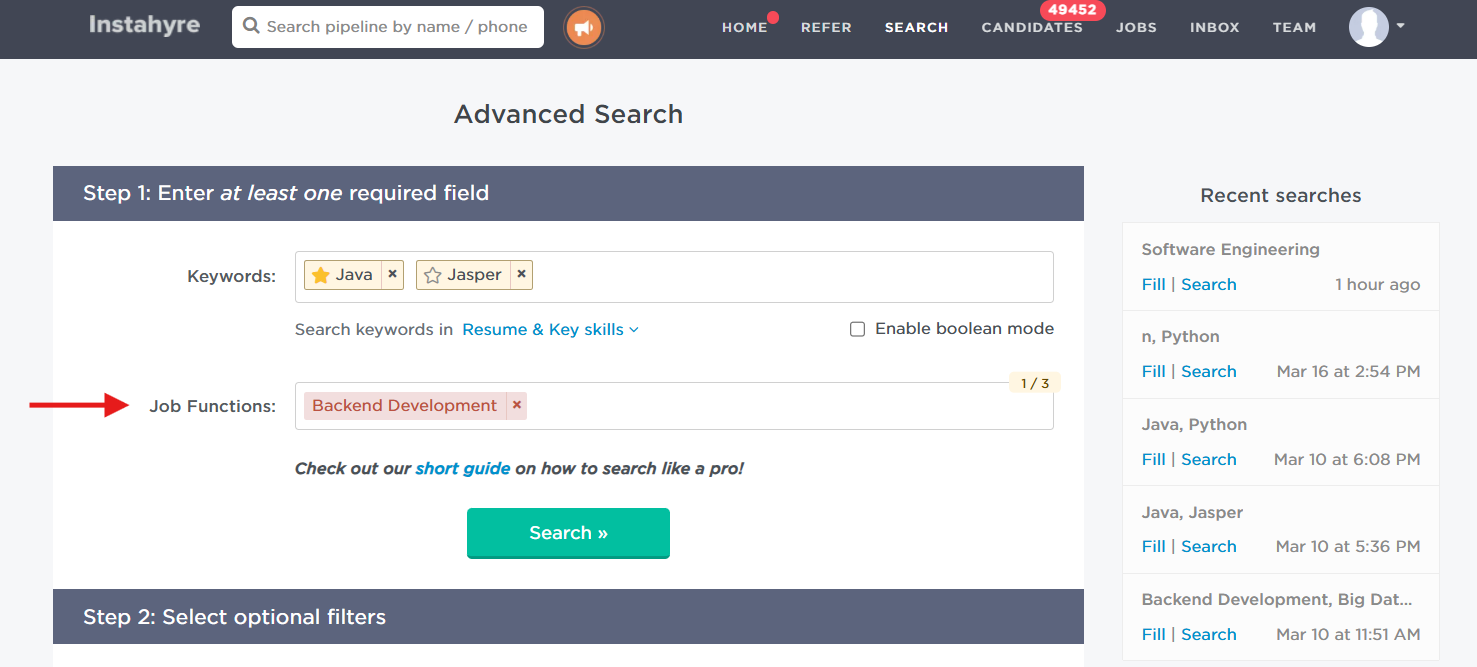
Selecting “Backend Development” as a job function shows you every backend developer in the database.
Best practice: On Instahyre, you can select up to 3 job functions at once, giving you a wider, more relevant talent pool across related roles without sacrificing precision.
Tip 4: Narrow Down with Optional Filters
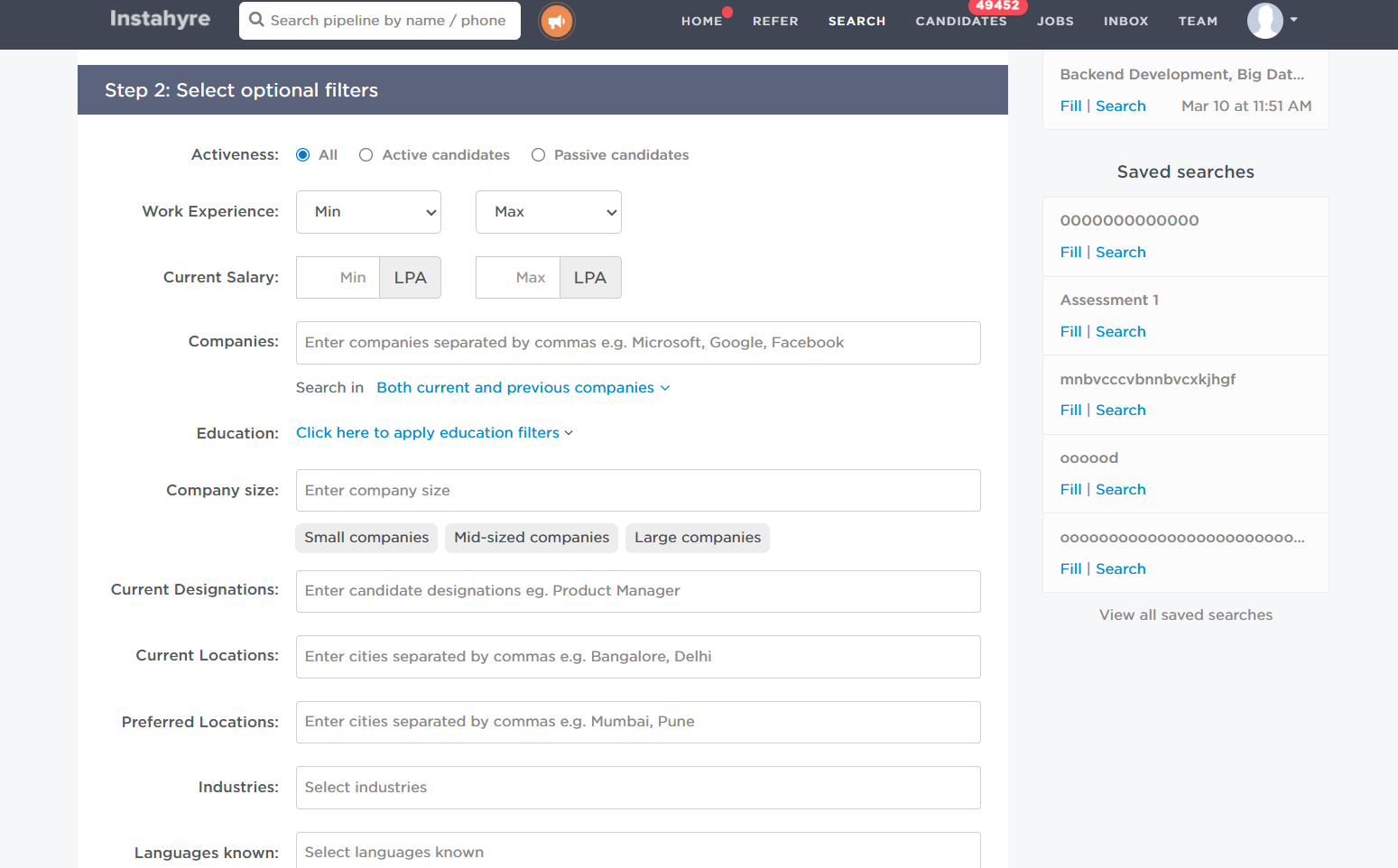
Once your keywords and job functions are set, use optional filters to catch in on the best-fit candidates. Start with Activeness to prioritise who you want to see first:
- All: Shows every matching candidate
- Active candidates: Candidates who are actively looking for a new role
- Passive candidates: Candidates who are open to opportunities but not actively searching
Then refine further with additional filters:
- Work experience & current salary
- Education & languages
- Current company, company size & industry
- Designation, location & notice period
- Gender & More.
Why Instahyre Delivers Better Results
Most candidate search tools stop at keyword matching. Instahyre goes further, factoring in company DNA, job functions, mandatory skills, and candidate interests before surfacing results. Higher relevancy from your very first search, and far less time spent filtering out profiles that don’t fit.
See the Difference Smarter Search Makes
Final Thoughts
Great hiring starts with a great search. The right keywords, the right job functions, and the right filters can be the difference between spending hours sifting through irrelevant profiles and finding your next great hire in minutes.
Before your next search, take a few moments to speak with the hiring manager, understand the role deeply, and identify the skills that truly matter. Use job functions to define the category, keywords to get specific, and filters to land the best fit. Small changes in how you search can lead to dramatically better results and a much faster path to the right hire.

More on recruiter productivity




Ready to see Instahyre in action?
Ditch the mass emails, job ads, and manual resume screening. Source, Engage and Interview using AI
Get Started for FreeWant to be a part of Exclusive, Invite - only Recruitment events?
Get notified when new stories and insights are released.
You always have the choice to unsubscribe.
